Save as Markdown

Free Chrome extension

Save any web page as beautiful Markdown

Keep the whole page, just the article, or only the parts you pick. Clean, readable .md files with front matter, tables and code blocks, saved straight to your computer.

Coming soon to the Chrome Web Store

Works in Chrome, Edge, Brave and other Chromium browsers.

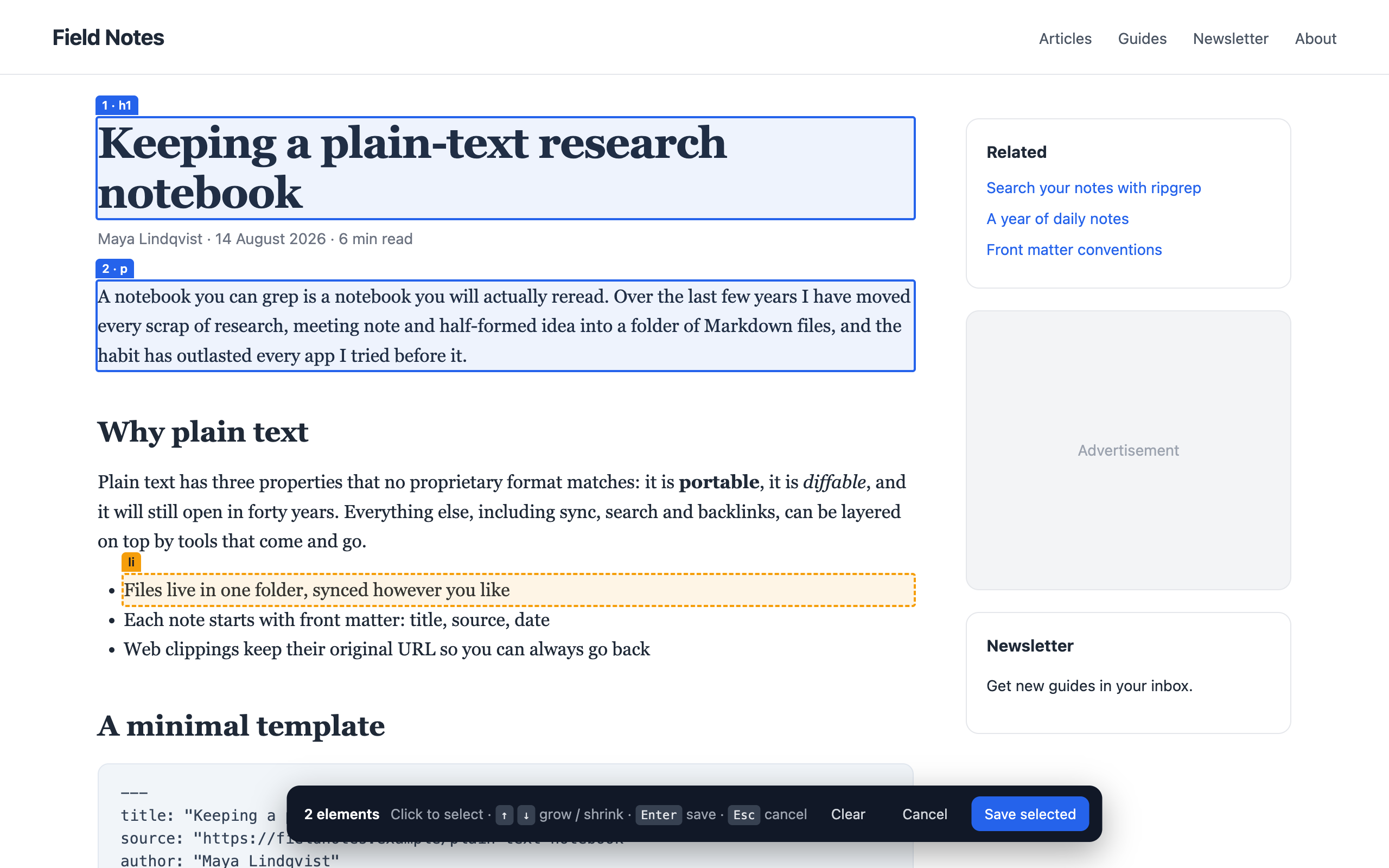
The element picker highlighting a heading and a paragraph on an article, with a toolbar showing 2 elements selected

Save exactly what you need

You won't always want the full page. Choose how much to keep every time you save.

Main content

Just the article body. Navigation, sidebars, ads, share bars and comments are left behind.

Pick elements

Click the blocks you want on the page, in any combination. They're saved in page order.

Whole page

Everything visible on the page, converted in one go.

Selection

Highlight some text, right-click, and save just that passage.

Markdown that reads well as source

Not just something that renders. Files you'll be happy to open in any editor, notes app or Git repo.

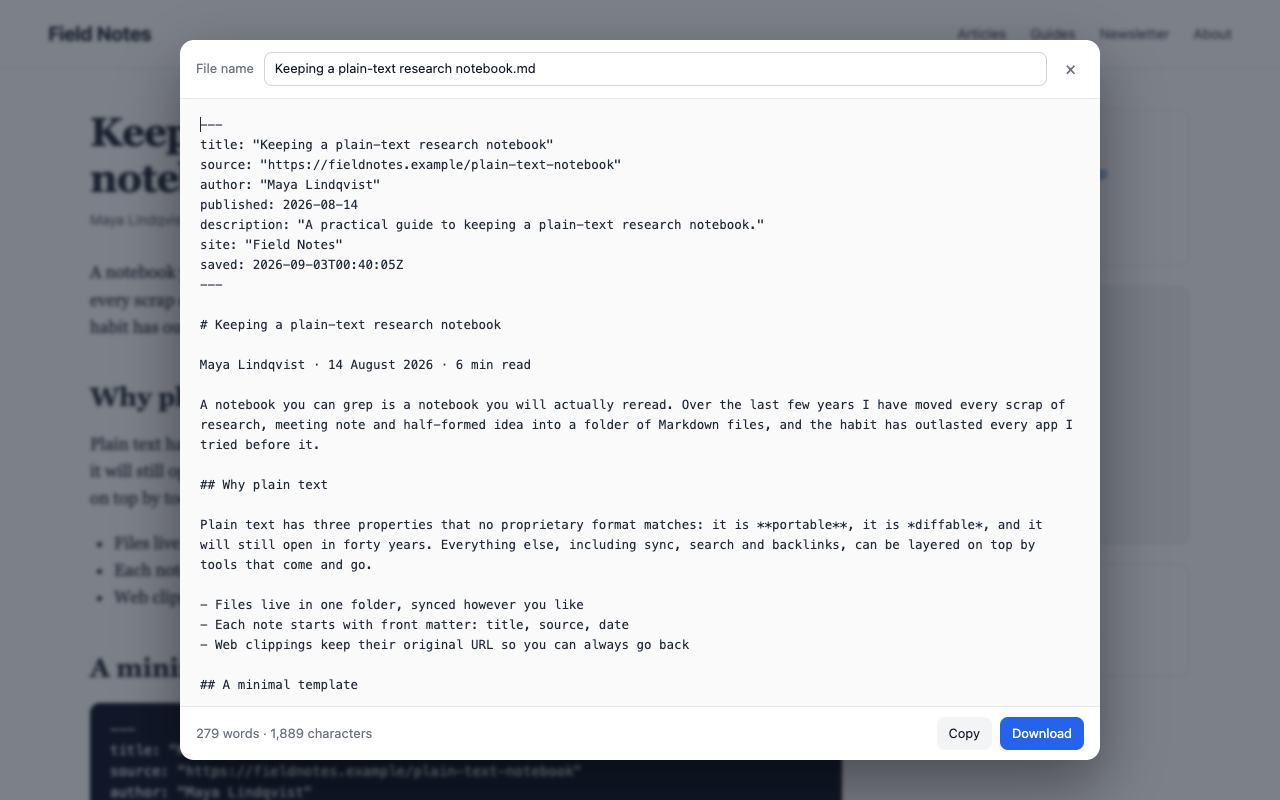
  • Front matter with title, source link, author and publish date
  • Headings, nested lists, task lists, quotes and captions
  • Code blocks with the language detected automatically
  • Tables kept as tables, with aligned columns, even with merged cells or lists inside
  • Full links and image addresses that keep working
  • Preview and edit before you save, or copy to the clipboard
---
title: "Keeping a plain-text research notebook"
source: "https://fieldnotes.example/plain-text"
author: "Maya Lindqvist"
published: 2026-08-14
---

# Keeping a plain-text research notebook

A notebook you can grep is a notebook you
will actually reread.

## What goes where

| Folder    | Contents                 | Review |
| --------- | ------------------------ | ------ |
| inbox/    | Unsorted clippings       | Daily  |
| projects/ | One folder per project   | Weekly |

How it works

Three steps, a few seconds.

Add it to Chrome.

Install from the Chrome Web Store, then pin it from the puzzle-piece menu so it's one click away.

Choose what to keep.

Click the icon and pick a mode, or press Alt+Shift+M (Option+Shift+M on a Mac) to start picking elements.

Preview and save.

Check the Markdown, rename the file if you like, and download it or copy it.

The preview dialog showing the converted Markdown with front matter, headings and a list

Questions

Is it free?
Yes. No accounts, no subscriptions, no limits.
Does it send my pages anywhere?
No. Everything is converted inside your browser and saved to your Downloads folder. The extension makes no network requests and contains no tracking. See the privacy policy.
Can it read every page I visit?
No. It only runs on a page when you click the icon, press the shortcut, or use the right-click menu, and only on that tab. It asks for no access to websites in advance.
Which browsers does it work in?
Google Chrome, Microsoft Edge, Brave, Arc, Vivaldi and other Chromium-based browsers can install it from the Chrome Web Store. It isn't available for Firefox or Safari.
Do tables survive?
Yes. Tables are saved as Markdown tables with aligned columns, including ones with merged cells, lists or code inside cells, and the data grids many web apps use. You can also pick or select just a few rows. Tables that only exist to lay out a page are saved as ordinary text.
Where do the files go?
Your Downloads folder by default. In the extension's options you can choose a subfolder, add the date to file names, or have Chrome ask where to save each file.
Why can't it run on some pages?
Chrome doesn't let any extension run on its own pages (like the settings or new-tab page), on the Chrome Web Store, or on some built-in PDF views.

Start saving pages as Markdown

Free, private, and ready in seconds.

Coming soon to the Chrome Web Store Privacy policy